Businesses that rush to launch RCS Web messaging often stumble over avoidable errors that dilute brand impact and waste development budget. From missing carrier verification steps to treating RCS like a glorified SMS, these pitfalls can turn a promising channel into a costly experiment. Below is a practical rundown of the most frequent missteps and the steps needed to keep your RCS rollout on track.
Understanding the RCS Web Landscape
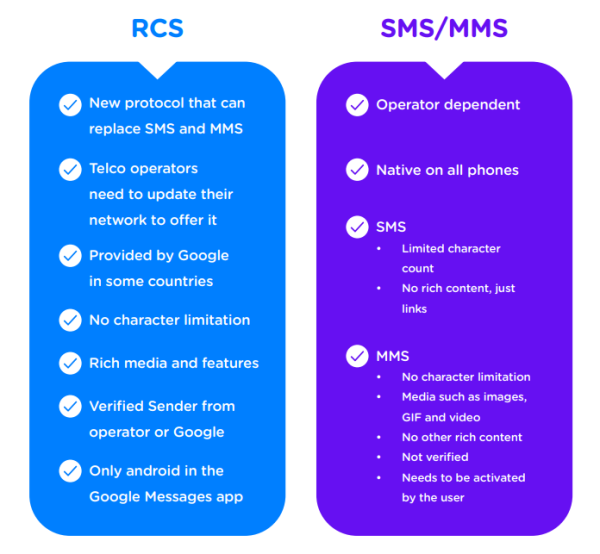
RCS (Rich Communication Services) extends traditional SMS with high‑resolution images, interactive buttons, and read receipts—all delivered through a web‑based API. Unlike SMS, RCS depends on carrier support, device compatibility, and a verified Business Messaging account. Skipping any of these foundations usually leads to delivery failures or a sub‑par user experience.
Skipping Carrier Verification
Before any message leaves your server, carriers must approve your sender ID and the domains you’ll use for rich media. Companies that assume “any domain works” often find their payloads blocked after the first few sends. The correct workflow is:
- Register your brand with the carrier’s Business Messaging portal.
- Submit the domains you’ll host images, cards, and fallback content.
- Complete the security handshake (TLS certificates, DMARC alignment).
Only after receiving a green light should you move to production traffic.
Neglecting Structured Message Templates
RCS requires predefined templates for outbound messages that include placeholders for dynamic content. Deploying ad‑hoc JSON payloads without a vetted template triggers carrier rejections and erodes trust with users who receive malformed cards. Build a library of approved templates—welcome, order‑status, and cart‑recovery—and reuse them across campaigns.
Overlooking Explicit User Consent
Even though RCS offers richer interactions, privacy rules remain the same as SMS. Sending promotional content without a clear opt‑in can lead to carrier penalties and spam filters. Capture consent through a double‑opt‑in flow (e.g., a short code or a web form) and store the timestamp to prove compliance if audited.
Underutilizing Rich Media Capabilities
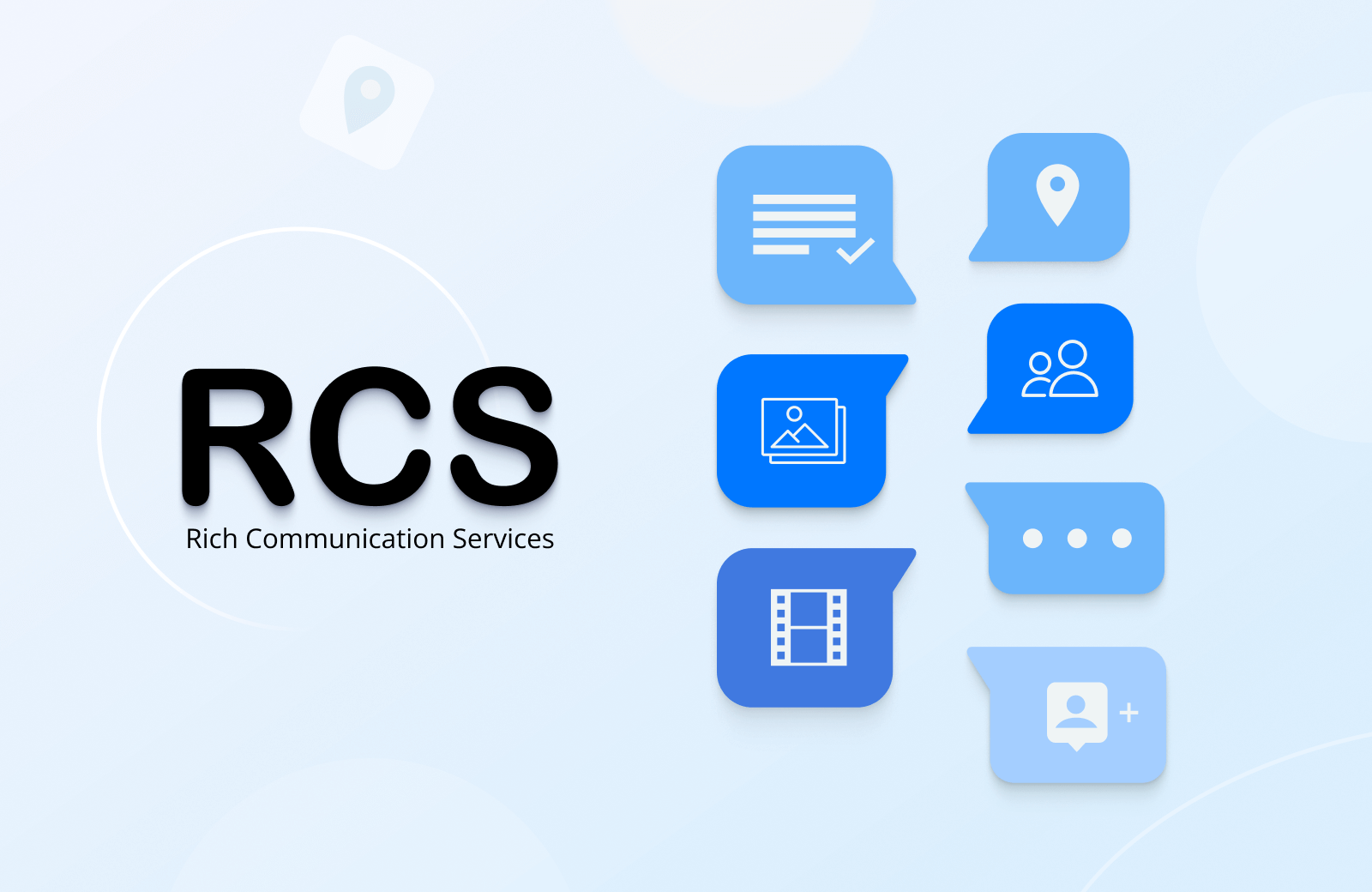
Many brands launch RCS with plain text, missing the chance to showcase product images, quick‑reply buttons, or embedded video. When rich elements are omitted, the experience feels no better than SMS, defeating the purpose of the upgrade.
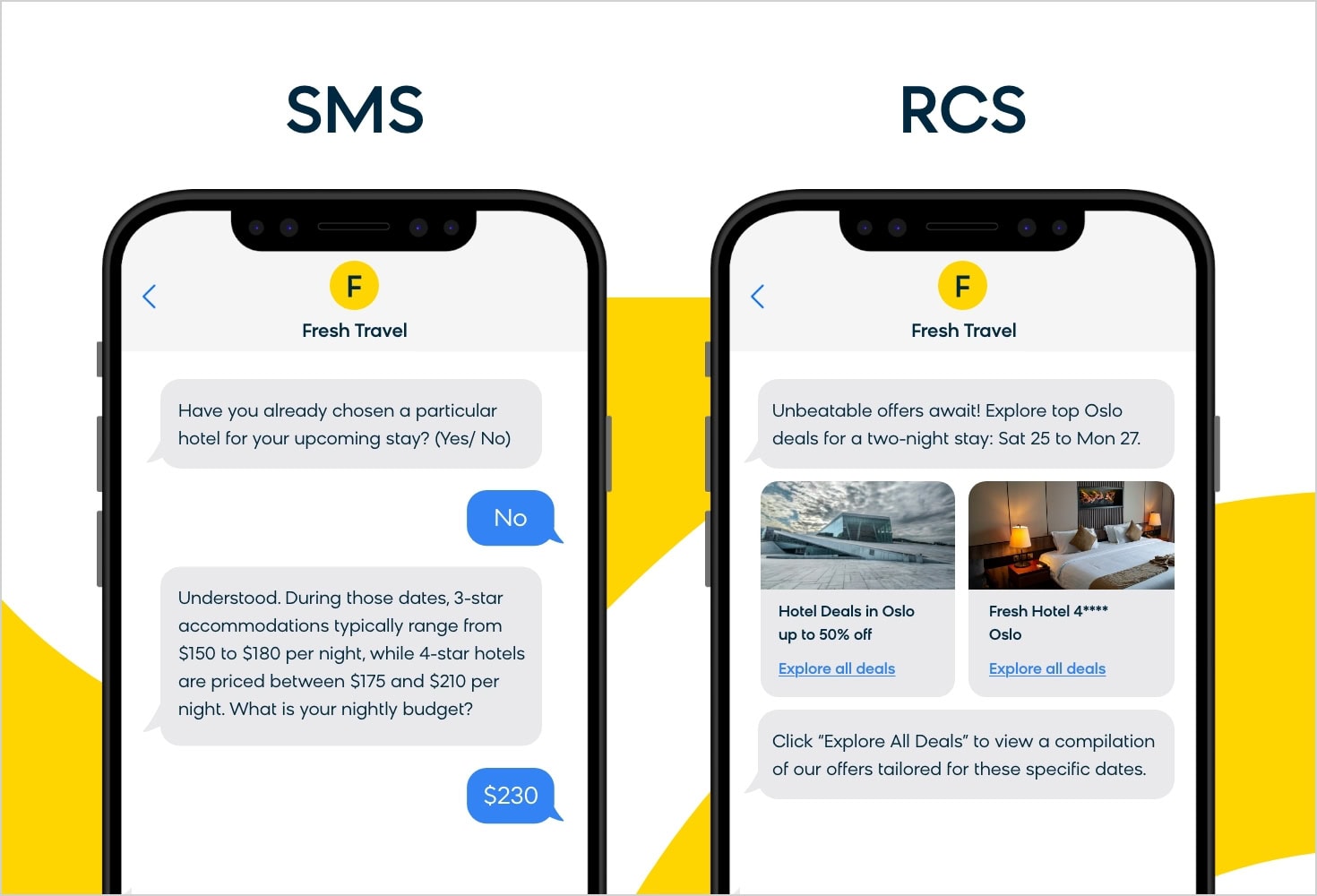
Invest time in designing card layouts that align with your brand guidelines, test them on both Android and iOS devices, and fall back to a simple text version for non‑compatible phones.
Treating RCS Like SMS
Because RCS uses a similar phone number format, some teams reuse their SMS logic verbatim—single‑line messages, static links, and no fallback handling. This approach ignores the interactive potential of RCS and often leads to higher churn when users expect richer content.
Separate the code paths: maintain your SMS short‑code handlers for legacy users, and build a dedicated RCS flow that leverages cards, carousels, and real‑time read receipts.
Checklist for a Smooth RCS Web Launch
- Carrier approval: Verify sender ID and domain ownership.
- Template inventory: Create and certify all outbound message formats.
- Consent records: Store opt‑in timestamps and provide easy opt‑out.
- Rich media design: Develop responsive cards with fallbacks.
- Separate logic: Distinguish RCS code from legacy SMS scripts.
- Testing matrix: Validate on Android Messages, Google Chat, and iOS carriers that support RCS.
By crossing each of these items off before going live, marketers can turn RCS from a novelty into a reliable, high‑engagement channel that justifies its higher implementation cost.
What Is RCS Messaging? Everything About This Engaging Channel
What is RCS Messaging? Everything About this Engaging Channel
What Is Rcs Advanced Messaging Cricket
What Is Rcs Advanced Messaging Cricket
Types Of RCS For Business Messages & How To Use Them [2025] - Sinch
![Types of RCS for Business Messages & How to Use Them [2025] - Sinch](https://sinch.com/wp-content/uploads/2024/08/SI-Blog-Types-of-RCS-for-Business-messages-In-blog-image-1.png)
Types of RCS for Business Messages & How to Use Them [2025] - Sinch