When a freelance gig, a one‑time contractor job, or a small‑business payout lands on your desk, the first thing you’ll likely be asked for is a W‑9 form. This simple, one‑page document lets the payer collect the information they need to report payments to the IRS, and it protects both sides from tax‑reporting headaches. Understanding what a W‑9 form is used for, where mistakes happen, and smarter ways to handle it can save time and avoid costly penalties.
Why Do Payers Insist on a W‑9?
The core purpose of a W‑9 is to provide the payer with the correct taxpayer identification number (TIN)—usually a Social Security Number or an Employer Identification Number. With this number, the payer can fill out a 1099‑NEC (or 1099‑MISC) at year‑end, showing the Internal Revenue Service how much they paid you. Without a valid W‑9, the payer might be forced to use backup withholding at a flat 24 % rate, which means you see less money in your pocket.
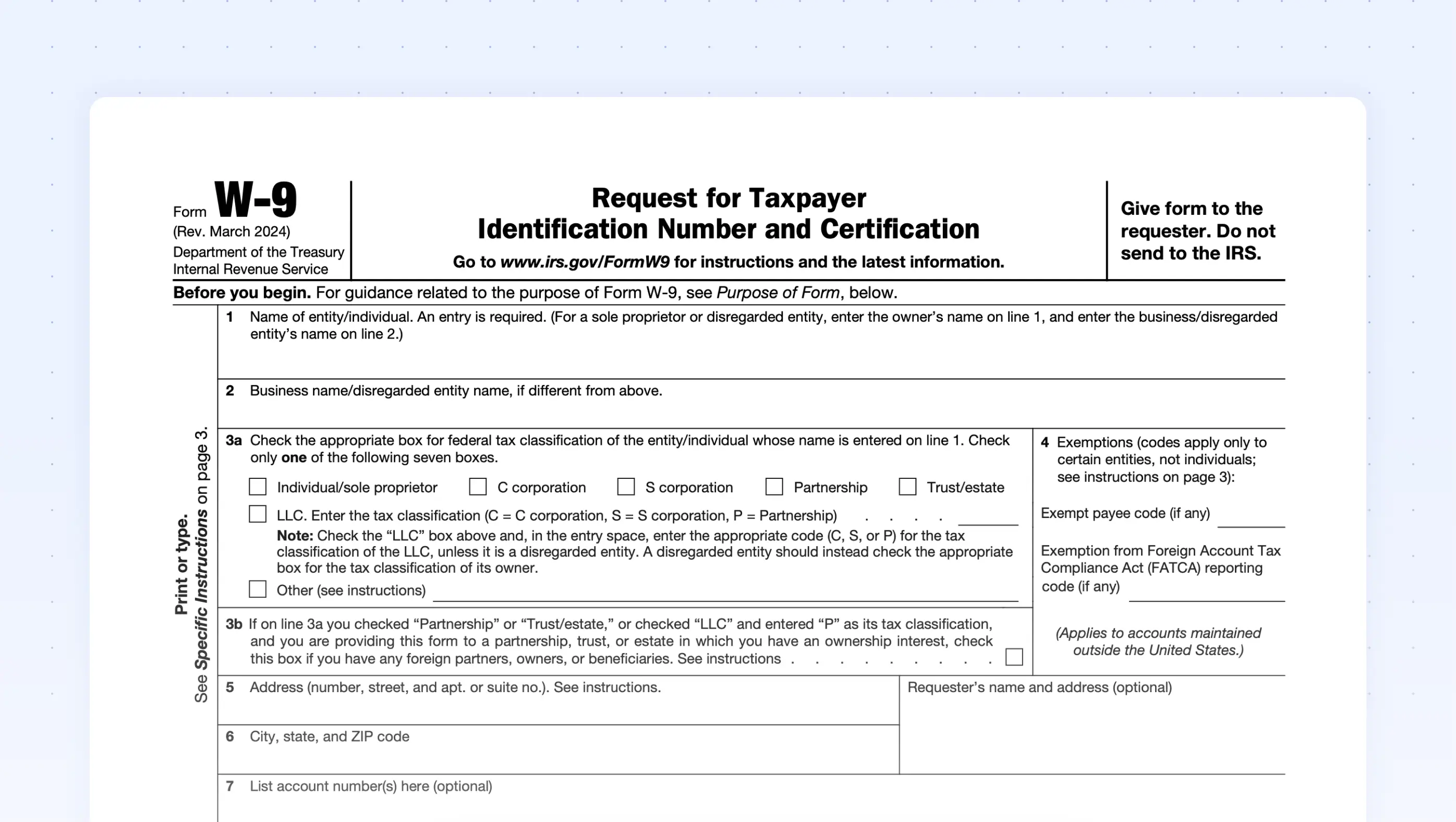
Common Mistakes People Make
1. Leaving the “Exempt” Box Blank or Filled Incorrectly
Many freelancers think the “Exempt payee” box is optional, but checking it without proper status can trigger a backup‑withholding notice. Only entities such as government agencies or corporations with specific exemption codes should mark this box.
2. Mixing Up Names and Business Names
When you operate as a sole proprietor, the “Name” field must match the name on your Social Security card, while the “Business name/disregarded entity” line can hold your DBA (“doing business as”) name. Swapping these fields leads to mismatched records in the IRS database.
3. Forgetting to Sign and Date
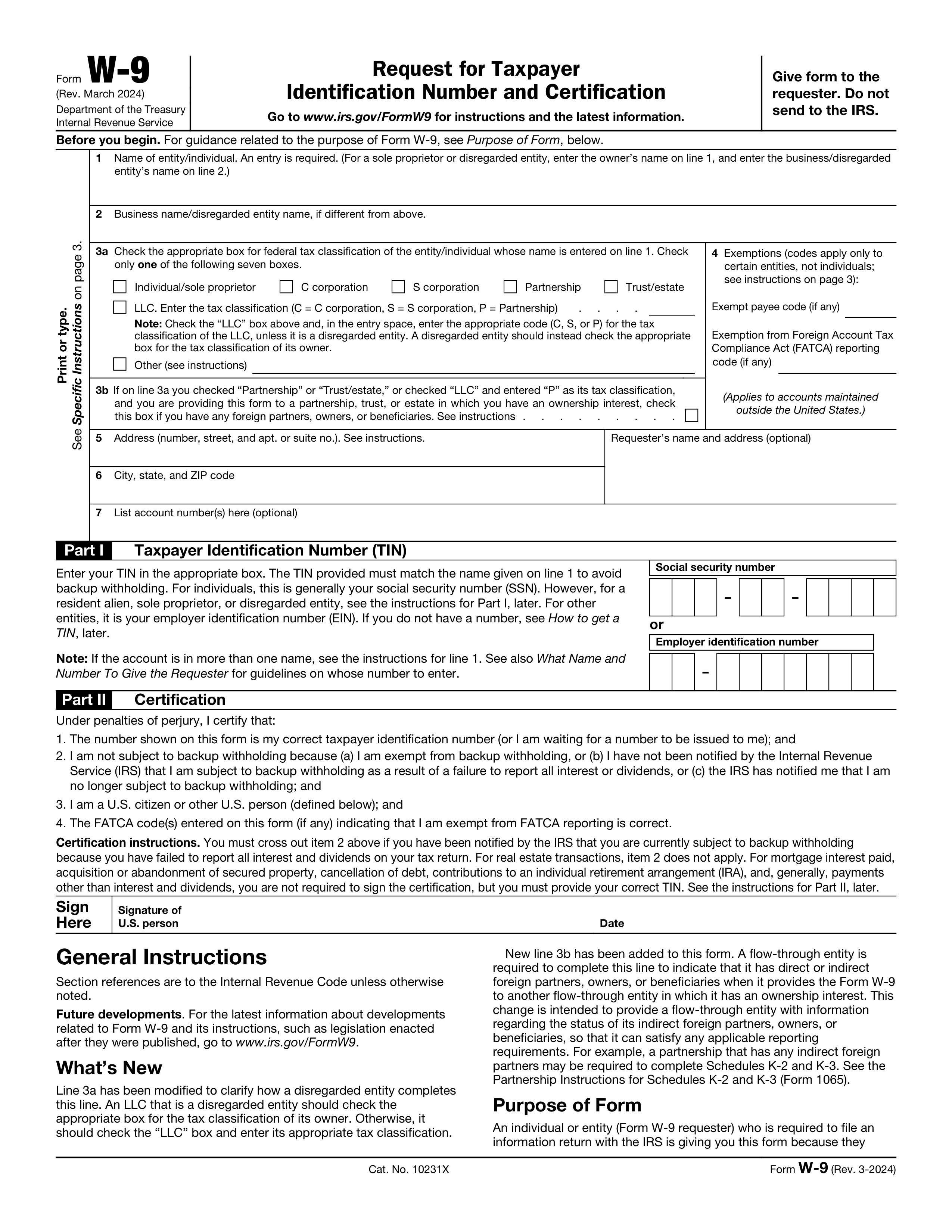
It’s easy to overlook the signature line in a rush, yet an unsigned W‑9 is technically invalid. The payer may reject it, delaying payment while they request a corrected form.
Smarter Alternatives to a Paper W‑9
Digital workflows are reshaping how small businesses gather tax information. Here are three ways to streamline the process without sacrificing compliance.
- Online Fillable PDFs. Services like PDF Liner let you complete the W‑9 on any device, then save a secure copy. The form retains the exact layout the IRS expects, reducing the chance of formatting errors.
- Secure Cloud Portals. Platforms such as ShareFile or Google Workspace let you upload the completed form to a password‑protected folder. Payers receive a link instead of handling physical paper, which cuts mailing time and protects sensitive data.
- Electronic Signature Tools. Solutions like DocuSign or Adobe Sign add a legally recognized signature field, ensuring the “Signed” line is never missed.
How to Verify a W‑9 Is Correct Before Sending
- Check the TIN format. A Social Security Number appears as XXX‑XX‑XXXX; an EIN looks like XX‑XXXXXXX.
- Match the name to the TIN. The IRS offers a free “TIN Matching” service for registered payers, which catches mismatches early.
- Confirm the address. The payer’s records should reflect the same mailing address you use for tax correspondence.
- Ensure the form is the latest version. The W‑9 was last revised in 2017; any version dated earlier may be rejected.
What Happens If You Skip the W‑9?
Without a valid W‑9, the payer defaults to backup withholding, sending you a 24 % deduction on each payment. The withheld amount is later reported on a 1099‑NEC, and you’ll need to claim it as a credit on your tax return. While you’ll eventually get the money back, the cash‑flow disruption can be especially painful for gig workers living paycheck‑to‑paycheck.
Bottom Line for the Everyday User
Think of the W‑9 as the “gateway” that lets your earnings flow smoothly from a client to your bank account without IRS detours. By filling it out accurately, double‑checking common trouble spots, and leveraging digital tools, you keep your finances on track and avoid unnecessary withholding. The next time a client asks for a W‑9, you’ll know exactly why they need it—and how to give it to them the right way.
Printable W 9 Form 2025 - Jace Printable

Printable W 9 Form 2025 - Jace Printable
Fillable Form 941 (2025-2026) | Complete With Ease | PDF Guru
Fillable Form 941 (2025-2026) | Complete with Ease | PDF Guru
I 9 Tax Form Printable

I 9 Tax Form Printable
Form W-9 Instructions 2025 - 2026
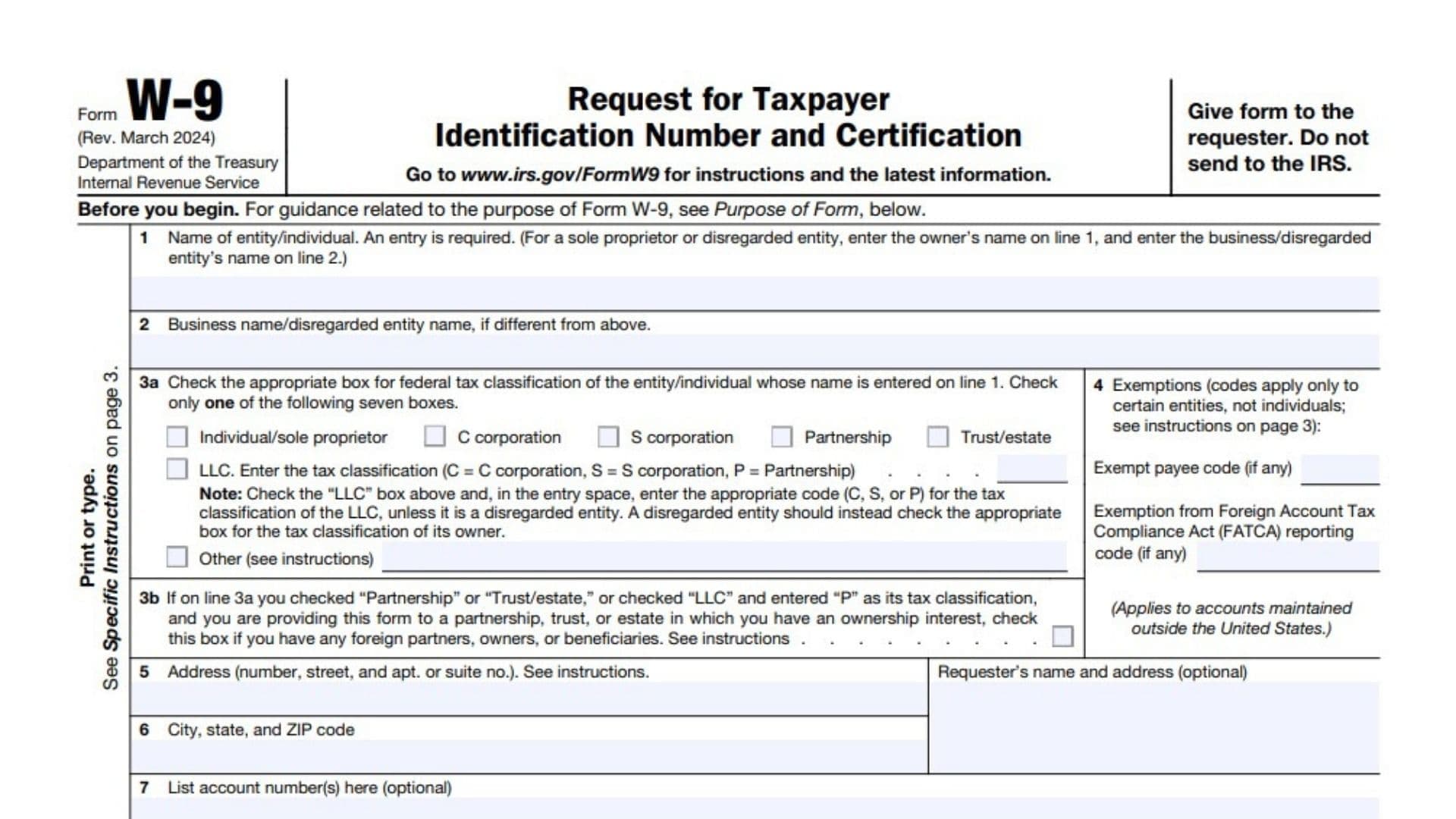
Form W-9 Instructions 2025 - 2026