Busy professionals who treat their calendar as a mere list of appointments often miss hidden efficiencies. By rethinking how events are organized, layered, and linked, a handful of targeted tweaks can shave hours off a typical workweek without sacrificing reliability. The following guide outlines practical hacks that can be adopted in a single afternoon, and it flags the common traps that erode productivity.
Why a conventional calendar falls short
Most digital calendars default to a linear, time‑only view. This model assumes every slot is independent, which obscures two critical realities: the need for uninterrupted deep‑work windows and the hidden dependencies between tasks. Without a way to surface these connections, users waste time reshuffling meetings, forgetting follow‑ups, and reacting to last‑minute changes.
Hack 1 – Layered time blocks for deep work
Reserve the first two hours of each day for “focus blocks” that are visually distinct (e.g., a bold background color). During these periods, disable meeting notifications and batch all non‑urgent communication for later. The benefit is a predictable rhythm that signals to colleagues that you are unavailable for ad‑hoc requests. Caution: Over‑committing to daily blocks can backfire if urgent crises arise; keep a flexible “shield” slot of 15 minutes each morning to absorb emergencies.
Hack 2 – Auto‑populate recurring buffers
Insert a 10‑minute buffer after every scheduled meeting. Modern calendar apps allow you to create a rule that automatically adds this padding, ensuring transition time for notes, quick email replies, or a brief mental reset. The extra minutes accumulate into a significant reduction in “meeting bleed‑over,” which is a frequent source of schedule creep. Warning: If buffers become too long, they may reduce overall capacity; calibrate the length based on the typical meeting length you experience.
Hack 3 – Leverage color‑coded context tags
Beyond simple categories like “Work” or “Personal,” assign colors that reflect the cognitive context—e.g., blue for analytical tasks, green for collaborative work, and orange for creative brainstorming. This visual cue lets you scan a week at a glance and balance mental load, preventing days that are overly homogeneous and draining. Risk: Excessive color variety can become confusing; limit the palette to five distinct tags for clarity.
Hack 4 – Integrate task graphs for dependency awareness
Map high‑impact projects as a lightweight dependency graph directly inside your calendar. Each node represents a milestone; edges indicate prerequisite relationships. By anchoring this graph to calendar dates, you instantly see which meetings unlock subsequent actions, reducing the chance of “orphaned” tasks. The approach borrows from knowledge‑graph principles, turning a flat schedule into a structured roadmap. Note: Maintaining the graph requires a brief weekly review, but the payoff in reduced mis‑sequencing outweighs the upkeep cost.
Step‑by‑step rollout
- Day 1: Create a daily focus block and disable non‑essential notifications.
- Day 2: Enable the auto‑buffer rule for all existing meetings.
- Day 3: Define a five‑color context scheme and apply it to the next two weeks of events.
- Day 4: Draft a simple dependency graph for your primary project and link each node to a calendar entry.
- Day 5: Conduct a 15‑minute review to adjust buffer lengths and re‑assign colors based on observed workload.
Potential pitfalls and how to avoid them
Even the most elegant hacks can degrade into noise if over‑applied. Monitor the total number of visual cues; if you find yourself scrolling longer than necessary, prune redundant tags. Keep buffer intervals uniform to prevent a “gap‑inflation” effect that reduces productive capacity. Finally, treat the dependency graph as a living document—stale links lead to missed deadlines, so schedule a brief weekly audit.
By systematically applying these four hacks, the average professional can reclaim up to three hours per week, free up mental bandwidth, and gain clearer insight into project timelines. The transformation lies not in adding more entries to a calendar, but in reshaping how each entry interacts with the others—turning a simple schedule into a strategic asset.
Is A Knowledge Graph A Graph Database?

Is a knowledge graph a graph database?
An Introduction To Knowledge Graphs | AltexSoft
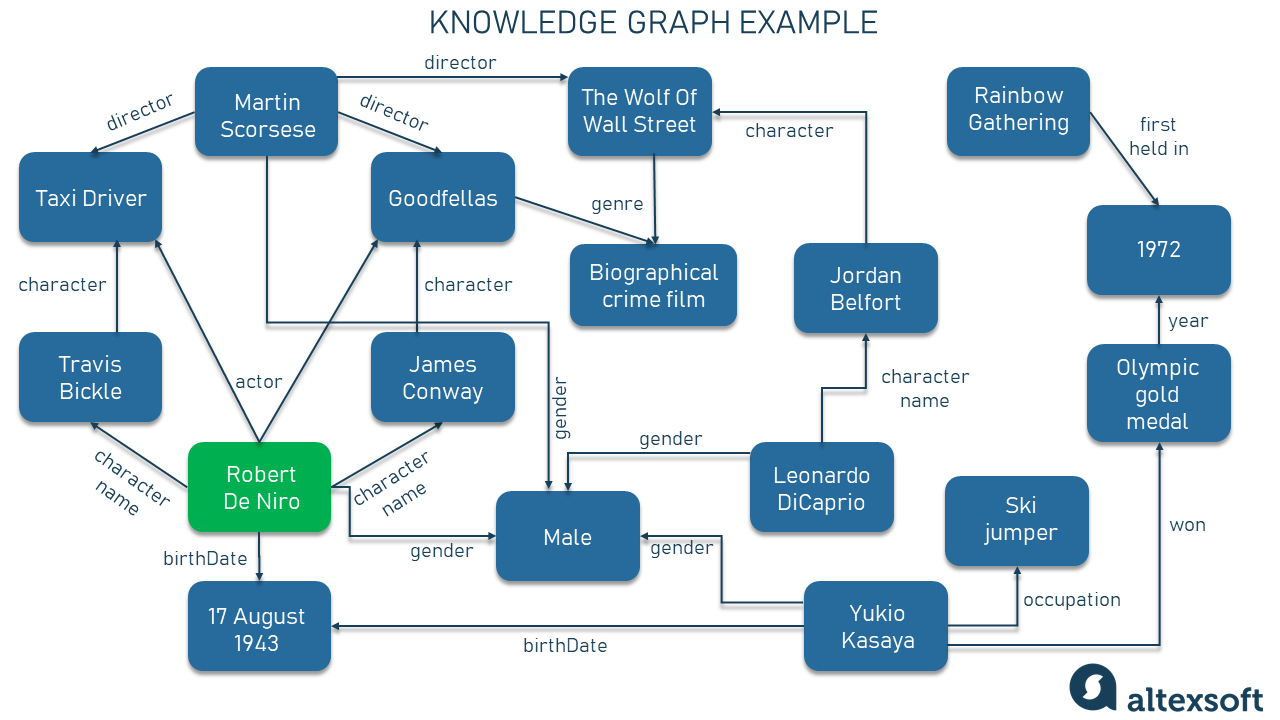
An Introduction to Knowledge Graphs | AltexSoft
Knowledge Graph Identifier – Temporal Knowledge Graph – VOQCVF

Knowledge Graph Identifier – Temporal Knowledge Graph – VOQCVF
GraphRAG Python Package: Accelerating GenAI With Knowledge Graphs
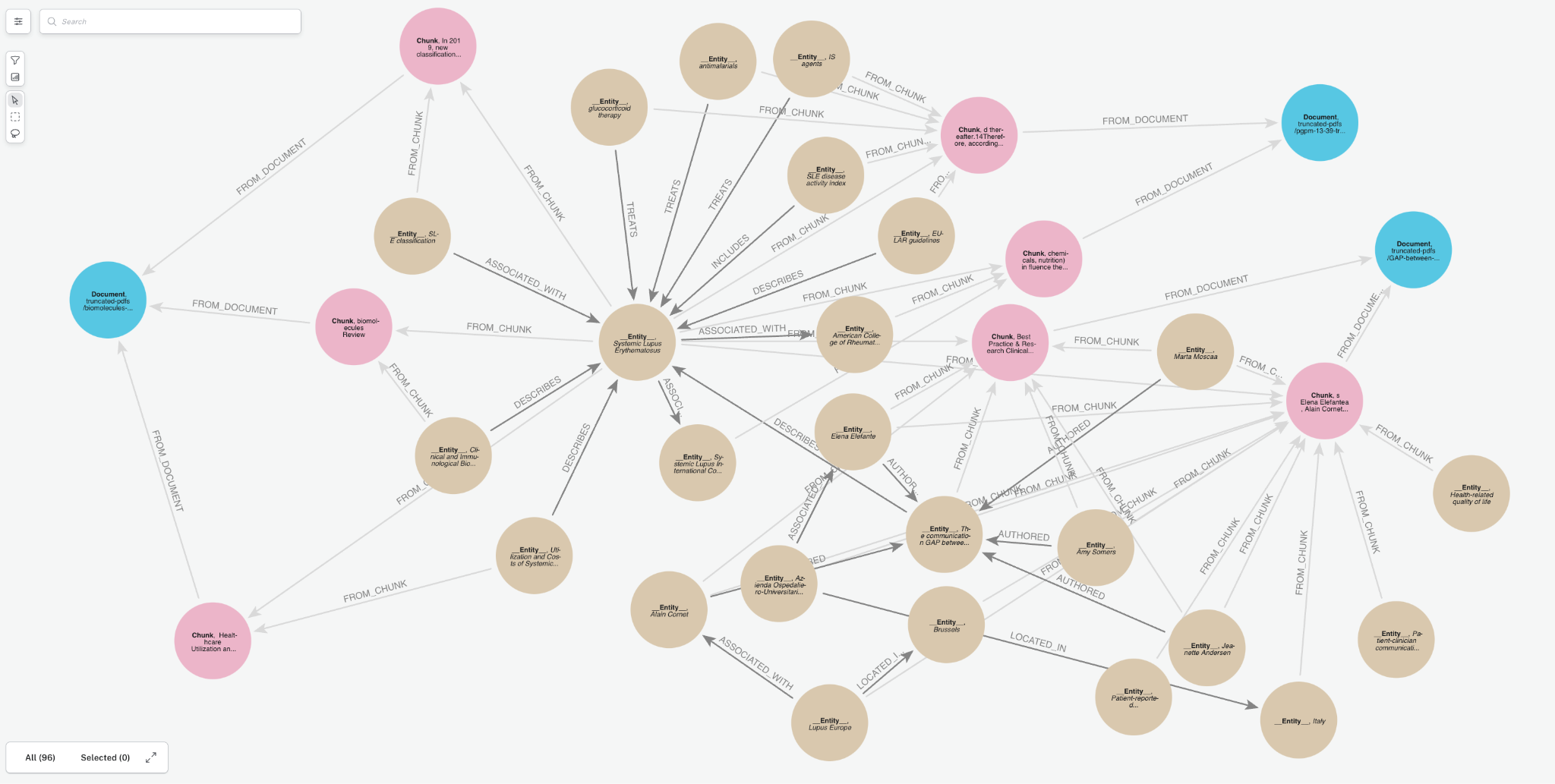
GraphRAG Python Package: Accelerating GenAI With Knowledge Graphs
Knowledge Graphs And Their Role In The Knowledge Engineering – NNKJW

Knowledge Graphs And Their Role In The Knowledge Engineering – NNKJW